
Timbuk2 have awesome laptop bags to fit various people. We looked on there and found cool ones for bloggers, commuters, messengers, and hackers. Take a look for yourself.
DVD region hack
If you have ever had a problem playing a DVD because of Region code or restrictions, the VideoHelp site provides codes to allow DVDs of different regions to play.
DVD players may be found by Brand and Model.
IPod as a painkiller?
Who would have thought the iPod could also be used as a painkiller?

This tip and trick is somehow different then the previous ones. It is not a feature within the product itself as much as a way to use the product differently.
Since I was a kid, the Dentist has been my biggest fear, besides World War III, clowns and pigeons. I always tried to avoid the yearly checkups, even though, since I really like chocolate, Coke and other things that ruin your teeth, I knew the checkups were needed. I convinced myself that the only reason these existed was to make more money, and as long as I will brush my teeth daily, I will be fine. Dodging became my yearly routine. One day this routine changed…
A friend of mine asked me if he can borrow my iPod because he needed it for his dentist appointment. It helped him cope with the horrible noise of the infamous dental drill. This actually convinced me that the best remedy to “my” dentist fear was to listen to music while the dentist took care of my teeth.
I finally gathered up the courage a month later and went to the dentist, bringing with me my iPod Shuffle. In order to make sure I would not be able to hear the drill, I searched for software to help boost the volume of the iPod such as:
Pod Volume Booster, euPOD, and goPod. After some consideration, I realized the volume was high enough and it is somewhat ridiculous to fix your teeth and at the very same time ruin your hearing abilities.
Next time you are going to the dentist my advice would be to take a music player with you. I personally will prefer to even listen to Michael Bolton instead of hearing the awful, scary sound of the dental drill. I promise you won’t regret it!
WIIFM (What’s in it for me)?
I remember the last time I went shopping for a laptop. As soon as I inquired about the various models being offered, I was ambushed by the different sales people at the store. After one of them caught my attention he began informing me about the Intel versus AMD processor, DDR versus DDR2 memory, and 40/60/80 GB HD. I consider myself somewhat knowledgeable in technology. I surf the internet, watch movies on my computer and know what the difference is between an MP3 and an MP4 player, but I’ll be honest, sometimes this jargon confuses me. Should I be ashamed?
The thing is, this is not an isolated case, and I will bet you have experienced the same with other electronics purchases: the all-in-one cell phones, the LCD and Plasma Television dilemma, or if 7 Million Mega pixels are enough. Should it be so difficult?
Many companies advertise their products based on tech specs, add more and more features, bury the product’s main use in so much useless information, and tend to forget what’s in it for us, the consumer. What they are basically doing is thinking of their bottom line: market share, profit margin, etc. In other words, how can they achieve more for themselves by selling to as many people as possible?
I believe in getting more as a consumer. Instead of piling many features that are mostly useless and function only half the time, we would like the few that answer our needs and do so when expected. For example, most cell phones today offer a camera, organizer, music player, internet, games, etc., but we all have different needs. An amateur photographer may not have a need for a music player, games or even an actual camera, but would for a large screen with high resolution and simple software to manage his or her photos such as done in a flickr account. An executive, on the other hand, may need an efficient organizer, powerful email capabilities, and a stock calculator, but a camera or music player may simply burden and take up space. Companies must understand that our bottom line is closely correlated with theirs. While remembering and striving towards achieving our bottom line of getting what we pay for, they in return may realize their goals of success. What the product can do for us is more important than how it does so. Am I the only one that feels this way?
Imagine a place called Walyou…
We are still working on the website but have launched our Blog meanwhile. Opening up this Blog before actually completing the website is somewhat unusual, but we figured it’s never too early to give value and receive feedback from our future users.
Walyou will be a place to store your information and share your knowledge about the electronic products you own.
Picture yourself not having to dig through your pile of old papers for support information about your products. Imagine a place where, just like searching for friends on Facebook and adding them to your list, you could add your new laptop, digital camera or game console to an account and simply receive relevant information about how to deal with its quirks. This community surrounding your products enables you to connect with others who own the same products, to share knowledge not only when problems occur but also when you just want to explore and have fun. This is what we are working on 24/7.
Come check the Blog from time to time to follow our latest developments and help us with your suggestions.
Thank You!
Laptop Extended Warranty: sometimes worth it?
I previously bought a Toshiba Laptop from Best Buy and added the extended warranty plan. Many argue that these service plans are expensive and unnecessary. In this particular instance, it was a lifesaver. While out of the country with the laptop, the CD player stopped reading any discs. The troubleshooting advice on Windows was an enormous waste of time, always resulting in either the same suggestion or unable to find the remedy. After many different unsuccessful troubleshooting so-called “solutions”, it was realized that an expert must diagnose the problem. It was found that the defect was within the electronic connection of the CD reader and the motherboard. As soon as I heard the word “motherboard” in the diagnostics, I felt that my wallet was going to get a lot lighter. When the quote came out, I noticed it was more than the laptop even cost me, and therefore somewhat considered a “total loss”.
Unfamiliar with the international coverage terms, I called Best Buy and was told the following: Since there weren’t any “authorized” repair locations for Toshiba in the country I was at, a professional quote was needed to prove the amount of repair. Once this is acquired, the refund would be the lower amount of either the repair or the original price of the laptop. I ended up receiving a company check for the entire laptop purchase. Besides the preliminary headache and time consumption, I was happy.
Is the argument against extended warranty purchase ALWAYS right?
note: I am not affiliated with neither manufacturer or retailer mentioned in this post.
Save your wet cell or PDA with Rice
A cool trick we found that could have helped us in the past and may prove useful to you. If you spilled water on your phone, there is a very easy way to salvage it. Take out the battery and put the cell in a bowl of dry, uncooked rice overnight. The rice will absorb the water and moisture, and could possibly save your cell.
Any tricks that worked for you in the past?
Via: NTICWeb
Half a Lemon!
 A lemon is a product that is “sour”, malfunctions, and simply does not work as it is supposed to. With that, half a lemon is a product that works properly half the time. Also see Treadmill Malfunction. Many of our computers, Ipods, cell phones, digital cameras, and more have been half a lemon since the day of purchase. We spend so much money on these, and they work as promised only half the time. The notebook freezes, the Ipod skips without request, the camera is slow to delete a picture, and our cell phones drop a call. We have all been through this. After we buy an item, we are excited to get home and start using it. After some time, the problems begin. Some examples: our computer crashes, it does not boot up, it would not restart, the battery stops charging, the CD player cannot read the disc, and more. Since the problems do not all happen at the same time, we learn to put them aside and live with them…but why? What else is that when we finally decide that enough is enough, and it needs to be repaired, we realize the warranty expired a day before. We are in fact stating that it is OK as long as we do not own a lemon, but only half a lemon. But aren’t the two very similar?
Is it just me that feels we should get what we paid for?
All-In-One
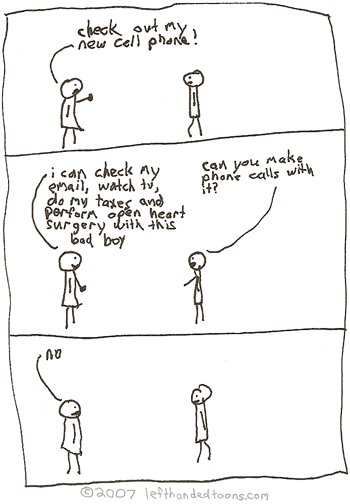
Our cell phones have so many features, but are they all really necessary?
Unlock your car with your cell phone!
We have heard of a nice trick to unlock your car using your cellphone. If you lock your keys in the car, whoever has the other set of keys may unlock it for you. The second person points the car remote to a phone and presses unlock, while the first holds their phone next to the vehicle. This will unlock the car for the one locked out.
For some people this has worked, while others argued it does not. We tried it with a Toyota Corolla, using Nokia cellphones and it worked. Try it and let us know if it works for you…if it did or didn’t, what phones and vehicles was it tried with, and the distance. Help us solve this mystery, and we will compile a list with successful combinations for others to view.
We found a few video demonstrations of this trick, watch one below.




